Legacy applications can quietly become one of the biggest obstacles to business growth. Outdated frameworks, fragile integrations, rising maintenance costs, security vulnerabilities, and limited scalability can make everyday operations slower and more expensive. Software modernization offers a way to address these challenges, but the transformation must be carefully planned.
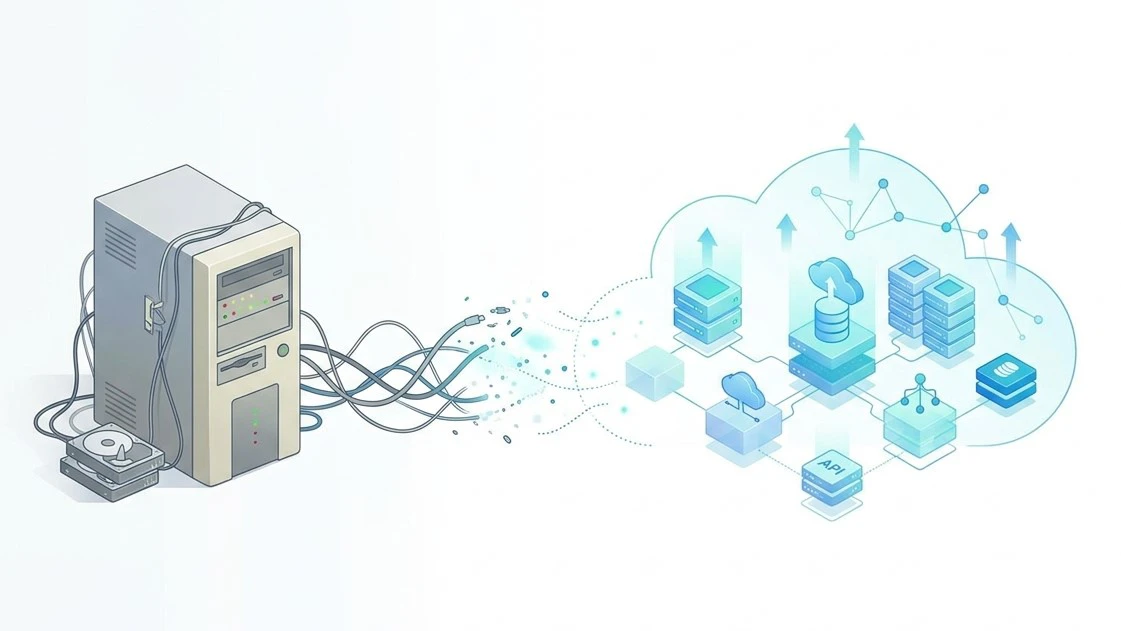
What Is Software Modernization?
It is the process of transforming older applications, codebases, architectures, and technology environments to meet current business and technical requirements. Depending on the condition of a system, this can involve updating its code, changing its architecture, moving workloads to the cloud, replacing outdated components, or rebuilding critical functionality. The goal is not simply to replace old technology. A successful transformation should improve performance, scalability, security, maintainability, user experience, and the organisation's ability to support future growth.
15 Software Modernization Mistakes That Can Cost Your Business Millions
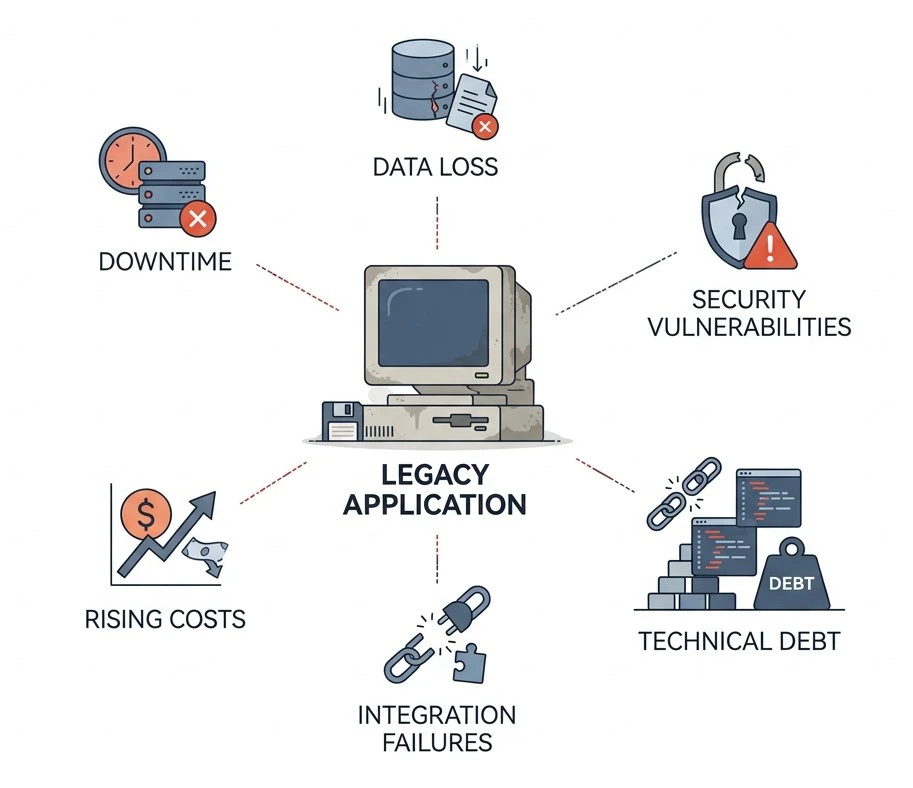
1. Modernizing Without a Clear Business Case
Software modernization should begin with a business problem, not simply the age of an application. Replacing an old system without understanding what the organisation expects to gain can result in unnecessary spending and limited ROI. Before development starts, establish measurable objectives such as reducing maintenance costs, improving application performance, increasing scalability, or addressing security risks. A clear business case also helps leadership prioritise which applications should be transformed first.
2. Skipping a Full Legacy System Audit
A successful software modernization initiative requires a clear understanding of the environment being changed. Legacy applications may contain undocumented integrations, outdated libraries, duplicate databases, custom business rules, and dependencies that are not immediately visible. Conduct a comprehensive audit covering source code, architecture, databases, infrastructure, APIs, integrations, security controls, performance, and operational dependencies. This creates a reliable baseline and helps uncover expensive problems before development begins.
3. Attempting a Risky Big-Bang Rewrite
A complete rewrite may appear to offer a clean start, but undertaking software modernization as one massive release can expose a business to significant operational risk. Unexpected technical problems can result in downtime, disrupted workflows, and costly emergency fixes. A phased approach is usually easier to control. Teams can modernise individual modules or services, test them thoroughly, gather feedback, and gradually transition workloads while keeping critical operations running.
4. Ignoring Technical Debt
Technical debt can significantly increase the cost and complexity of software modernization. Outdated dependencies, duplicated code, temporary workarounds, inefficient architecture, and unsupported frameworks can all create additional work during transformation. Teams should identify technical debt during the initial assessment and categorise it according to risk and business impact. Not every issue needs to be fixed immediately, but critical weaknesses should not simply be carried into the new environment.
5. Underestimating Data Migration Complexity
Data is often one of the most challenging parts of software modernization. Older databases may contain inconsistent formats, duplicate records, missing relationships, obsolete information, or years of historical data that still needs to be preserved. Create a detailed migration plan covering data mapping, cleansing, validation, backup, testing, and rollback. Multiple test migrations should be completed before production cutover to reduce the risk of missing or corrupted information.
6. Overlooking Security and Compliance
Security cannot be treated as a final-stage task during software modernization. Moving an application onto newer technology does not automatically eliminate vulnerabilities or compliance risks. Security requirements should be incorporated throughout the transformation. This includes identity and access management, encryption, secure APIs, logging, monitoring, vulnerability testing, and relevant regulatory requirements. Addressing these areas early is generally less expensive than fixing security weaknesses after deployment.
7. Choosing the Wrong Modernization Approach
Not every application needs the same treatment, which makes selecting the right approach essential to software modernization. One workload might only need an infrastructure change, while another may require extensive architectural redesign or complete replacement. Evaluate each application according to its business importance, technical condition, complexity, expected lifespan, cost, risk, and future requirements. Choosing the wrong strategy can consume significant resources without addressing the system's underlying limitations.
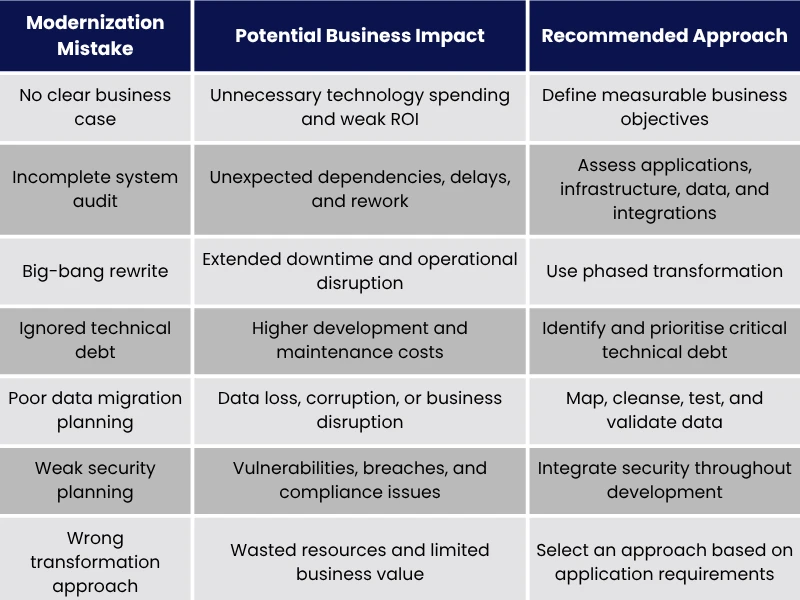
This table provides a high-level view of how seemingly small planning mistakes can create significant financial and operational consequences. A structured transformation process helps organisations identify these risks before they affect production systems.
8. Neglecting Stakeholder Buy-In
Technology teams are not the only people affected by modernization. Executives, employees, operations teams, customers, and other stakeholders may experience changes to workflows, responsibilities, and business processes. Involve relevant stakeholders early and explain why the transformation is necessary. Their feedback can uncover practical requirements that technical teams might overlook, while regular communication can reduce resistance and improve adoption after launch.
9. Forgetting About User Experience
Even technically successful software modernization can fail to deliver its expected value if users find the resulting application difficult to use. Simply replacing an old interface with a newer framework does not automatically create a better experience. Analyse how employees or customers interact with the system and identify unnecessary steps, confusing workflows, and accessibility problems. Modernisation should be an opportunity to make everyday interactions simpler, faster, and more intuitive.
10. Leaving Documentation as an Afterthought
Poor documentation can create another layer of complexity during transformation. Organisations investing in Legacy software modernization services should ensure that architecture decisions, APIs, dependencies, deployment procedures, security controls, and operational processes are documented throughout the project. Documentation should not be created during the final weeks before launch. Keeping it updated alongside development makes knowledge transfer easier, reduces dependence on individual developers, and gives support teams the information they need to troubleshoot the new environment.
11. Poorly Planning Cloud Application Migration
Cloud application migration requires more than moving workloads from on-premises servers to a cloud environment. Applications should first be assessed for architecture, dependencies, performance requirements, security, resource consumption, and expected operating costs. Organisations should define the target environment, migration sequence, testing requirements, monitoring strategy, and rollback procedures before moving critical workloads. A poorly planned migration can simply transfer existing application problems into a new environment.
12. Ignoring Integration Dependencies
Legacy application modernization can affect far more than the application being directly changed. Older systems may communicate with CRMs, ERP platforms, payment gateways, reporting systems, databases, APIs, and third-party services. A forgotten dependency can break an important business workflow immediately after deployment. Create an integration inventory before making architectural changes and document how systems exchange information, authenticate requests, and respond when connected services fail.
13. Skipping Automated Testing
Large transformation projects can change hundreds of functions and interactions, making manual testing alone difficult to scale. Software reengineering without adequate automated testing can allow defects to remain hidden until production. Automated testing should cover critical functionality, integrations, regression scenarios, and performance requirements where appropriate. Running tests throughout development allows teams to identify problems earlier and release changes with greater confidence.
14. Failing to Upskill the Team
A modern application environment may introduce cloud platforms, containers, APIs, microservices, new programming frameworks, or unfamiliar development practices. Application modernization software can support the technical transformation, but people still need the skills to operate and improve the resulting environment. Training should therefore be part of the project from the beginning. Workshops, mentoring, documentation, and hands-on learning can reduce dependency on external specialists and help internal teams take ownership after deployment.
15. Treating Modernization as a One-Time Project
Legacy software modernization should not end when the new application goes live. New security vulnerabilities, dependencies, performance requirements, and business needs will continue to emerge. Establish ongoing monitoring, optimisation, security updates, performance reviews, and architectural assessments. Continuous improvement protects the investment and reduces the risk of the newly transformed platform becoming another legacy system a few years later.
Legacy Software Modernization Approaches: The 7 R's
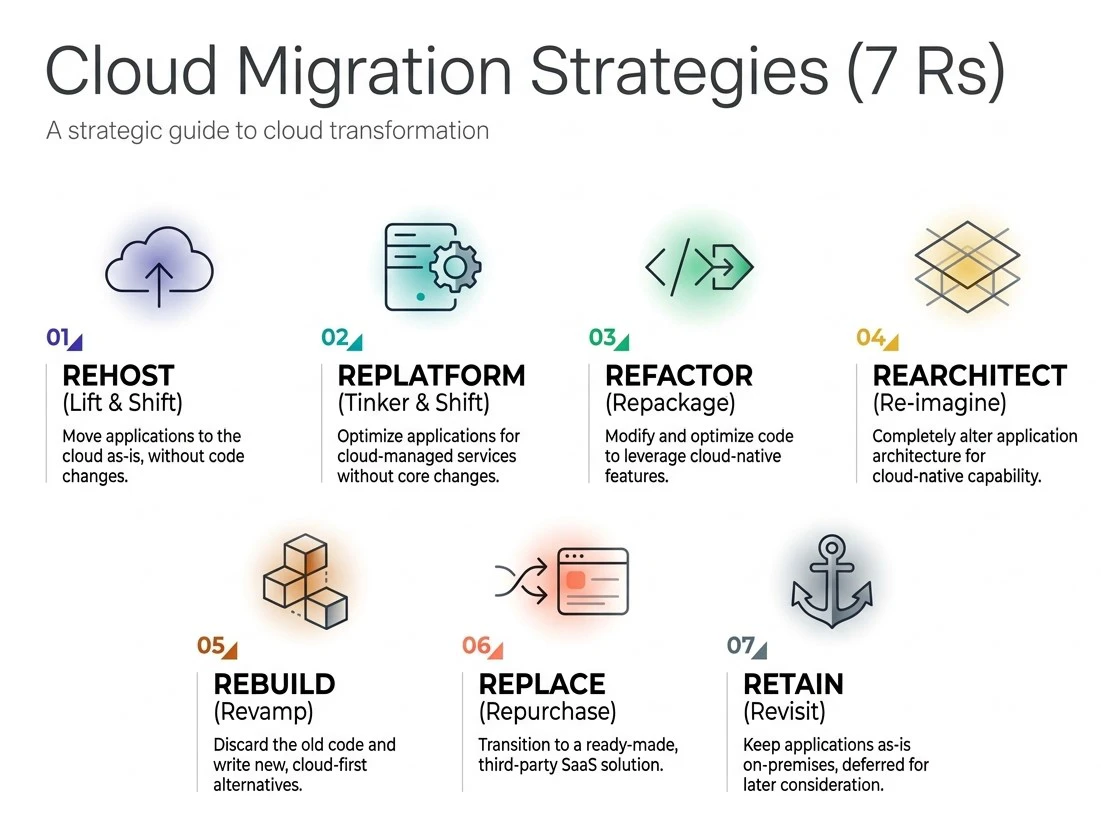
The seven commonly used approaches provide a framework for deciding how individual workloads should be transformed:
- Rehost: Move an application to a new environment with minimal changes.
- Replatform: Make limited modifications to take advantage of modern infrastructure.
- Refactor: Improve the existing code while preserving its core functionality.
- Rearchitect: Redesign the architecture to improve scalability, resilience, or maintainability.
- Rebuild: Develop the application again while retaining essential business requirements.
- Replace: Substitute the existing system with a modern alternative.
- Retain: Keep an application unchanged when it continues to provide sufficient value.
The appropriate approach depends on technical condition, business importance, cost, risk, and future requirements. Cloud infrastructure services can also support organisations where cloud adoption is appropriate, but technology choices should always follow business and architectural requirements. A well-planned digital transformation strategy can help organisations determine which systems should be modernised first and how individual transformation initiatives should contribute to broader business objectives.
Modernize With a Strategy, Not a Shortcut
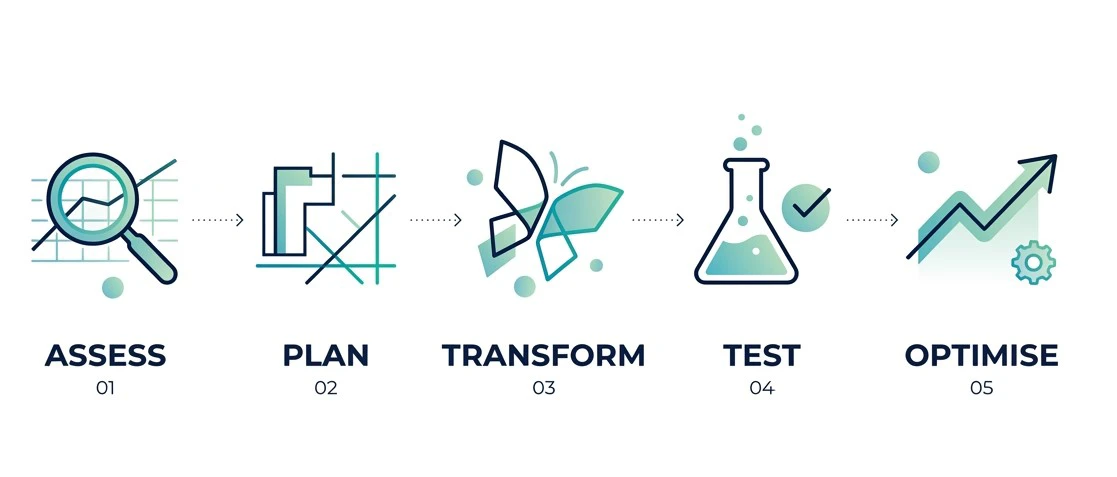
Successful transformation is about more than replacing outdated technology. Businesses need to understand their existing environment, establish clear objectives, protect critical data, map dependencies, involve stakeholders, test continuously, and prepare their teams for the resulting technology landscape. Phen-Tech helps organisations transform outdated applications through technical assessment, architecture transformation, development, integration, migration, and ongoing optimisation. Our legacy software modernization services provide a structured approach for reducing technical risk while creating technology foundations that support long-term growth.
Ready to transform your legacy applications? Talk to Phen-Tech today to assess your current application environment and develop a practical modernization roadmap aligned with your business objectives, technical requirements, budget, and future growth.